prompt topic
Ecommerce website prompts
Answer in brief
For a small shop, prompt for the storefront and name the checkout you'll connect. The AI tool builds the brand site, the product pages and the cart drawer well. Payments, stock and tax belong to a service made for them, and the prompt should say which one.
The sites that sell on design show few products and give each one room. Tell the model how many products there are and how each is photographed.
Separate the storefront from the checkout
Say it in the first paragraph: "this is the storefront; checkout is handled by [service]; the buy button links to [a checkout URL / adds to a cart held in local state]". A model left to decide will build a fake payment form, which is the one part you can't ship.
Describe the products as objects
A ring, a scarf, a bottle, a T-shirt: each has a material, and the material is what the site should show. Say what the product does on screen. Silk ripples. Metal catches a light that follows the cursor. A T-shirt turns. One material behaviour, applied to every product, gives the shop a look of its own.
Then give the facts for each: name, price, variants, one sentence, and the image files.
Write the buying path
From product to bought in as few steps as possible: pick a variant, add, a drawer opens with the total, go to checkout. Describe each step and its empty and error states: nothing selected, sold out, quantity limits. These are the states that get skipped when a prompt only describes the homepage.
What an ecommerce prompt should contain
- Storefront only, and the name of the checkout service.
- The products: count, names, prices, variants, image files.
- The material idea: how products behave on screen.
- The buying path, step by step, with sold-out and empty states.
- Pages: home, product, and the short legal ones (shipping, returns).
- Type and colour in numbers, as for any other site.
A prompt to start from
Build the storefront for [brand], which sells [what] — [number] products. This is the storefront only: checkout is handled by [service], and "Buy" opens [checkout URL per product / a cart drawer whose button links to checkout].

Products, in ./products.json: name, price, [variants], one sentence, and image files in ./products. Use the real data.

The idea: [how the products behave — e.g. "each scarf is a square of cloth that ripples slowly on a pale ground; clicking one brings it forward and flattens it so the pattern can be read"].

Pages:
- Home: the brand name, one line, then the products in the idea above.
- Product: the product large on the left; name, price, variant picker, "Add" and three lines of detail on the right.
- Shipping and returns: plain text pages.

Cart drawer: slides in from the right with the items, quantity steppers, subtotal and the checkout button. States: empty ("Nothing here yet"), sold-out variant (disabled, struck through), maximum quantity.

Stack: Vite + React + TypeScript, plain CSS; cart in local state, saved to localStorage.

Look: ground [#hex], text [#hex], no accent beyond the products. [Serif typeface] for names at 40px, [sans typeface] 14px for everything else. Generous space: products never touch.

Phones: one product per screen, the drawer becomes a full-height sheet. Run it and walk the path from home to the checkout link.
Written for this page as a starting point; swap the parts in [brackets] for your own. The full prompt of each uberdesigner template is longer and specific to one finished design, and it is tested by rebuilding the template from the prompt alone.
Shop and brand sites to start from
Finished sites on uberdesigner for jewellery, fashion and fragrance, each built around how one material behaves on screen.
-
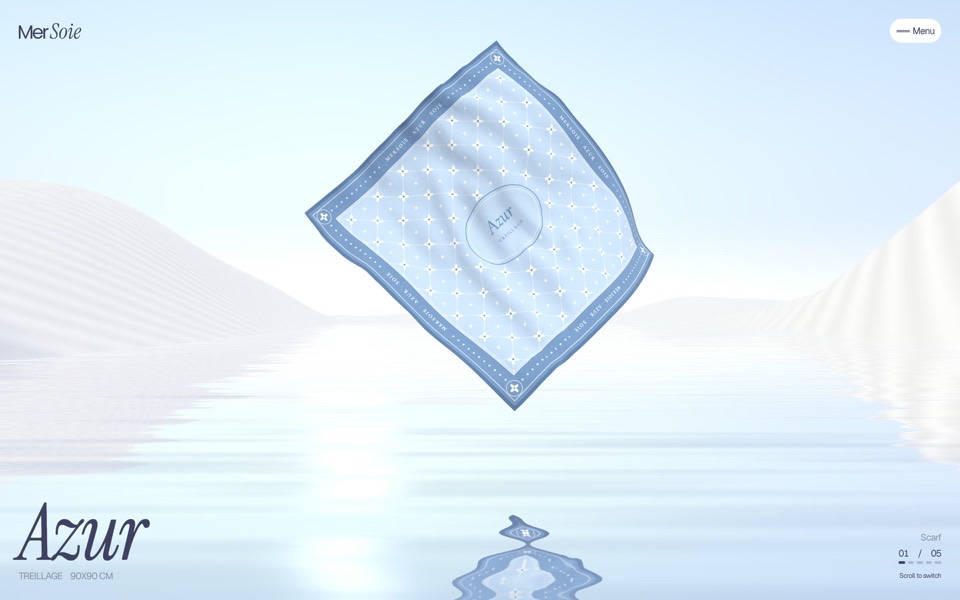
mersoie
A silk-scarf shop on one screen: five silk squares ripple one at a time over pastel water between white dunes, and a click brings one forward to buy.
see it on uberdesigner -
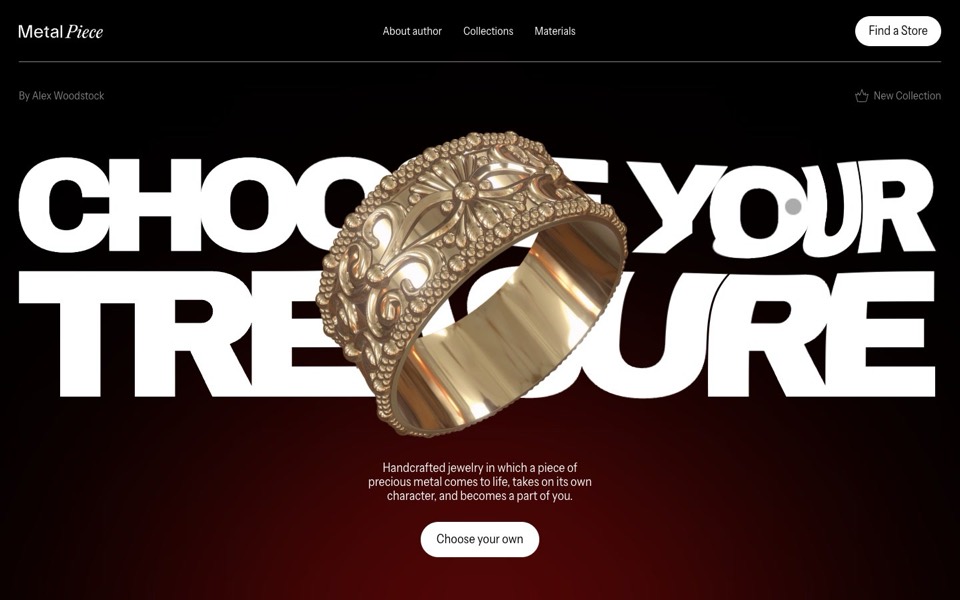
metal piece
A jewelry site where a gold ring floats over a title that bends like liquid under the cursor.
see it on uberdesigner -
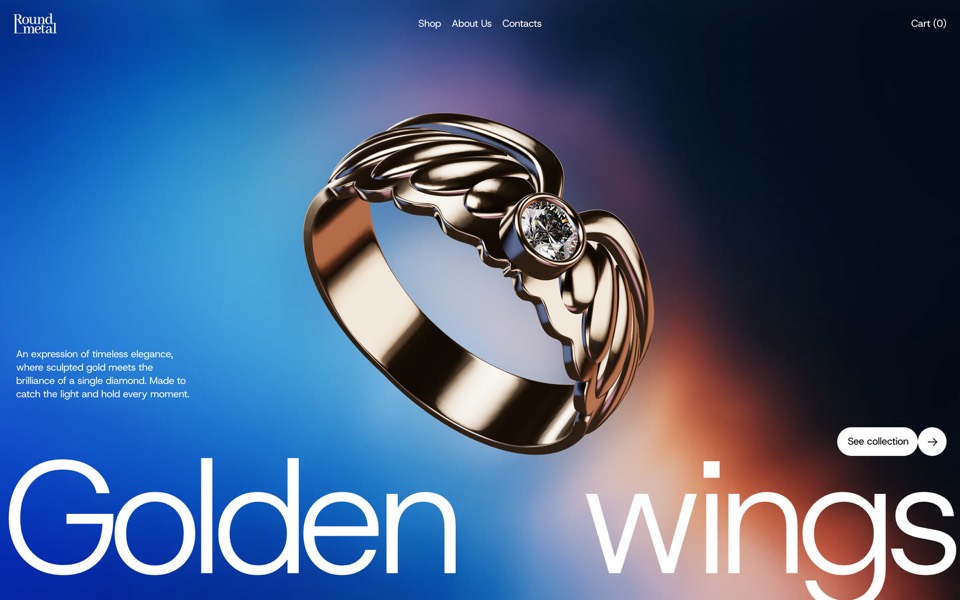
round metal
A one-ring jewellery site told as one scroll-driven 3D film: the ring is drawn, flown through, turned into its photographs and parted from its diamond.
see it on uberdesigner -
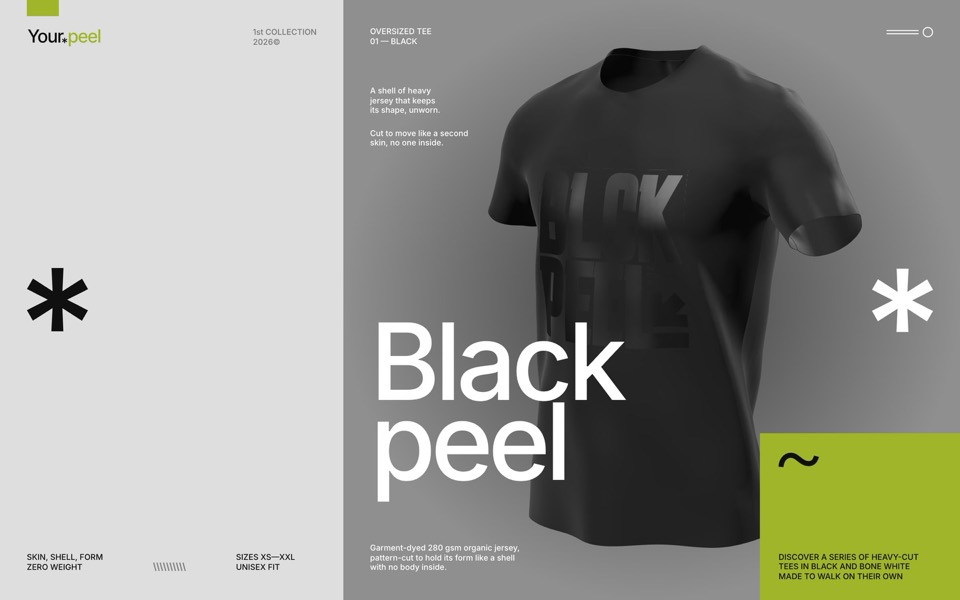
yourpeel
A streetwear drop page where a real-time 3D tee walks on its own with no one inside, then the hero peels off as a cloth into a lime section with titles on torn tape.
see it on uberdesigner -
virelle
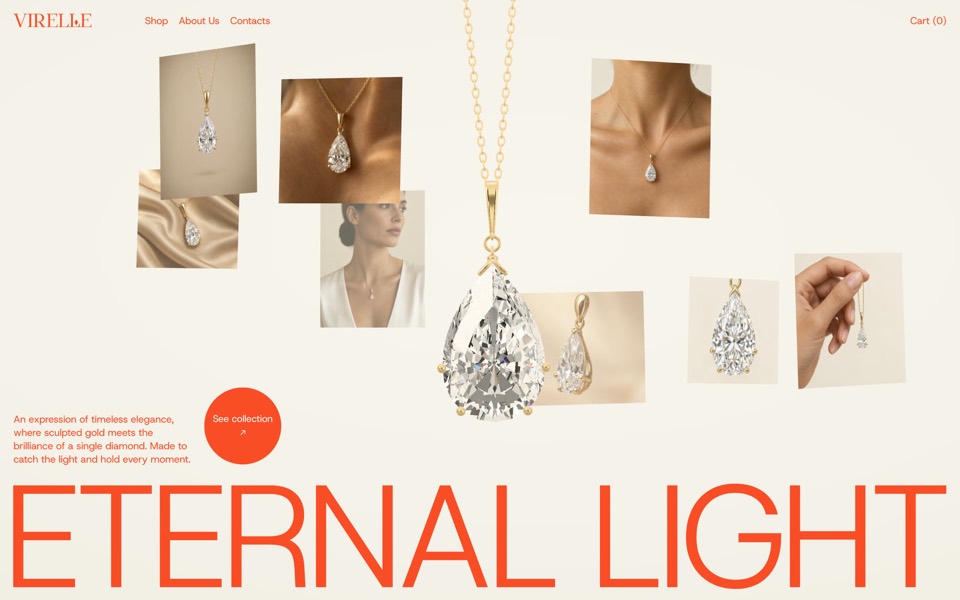
A fine-jewellery hero: a pear-cut diamond pendant drops in on a real chain and eight editorial photos orbit it.
see it on uberdesigner -
hard agate
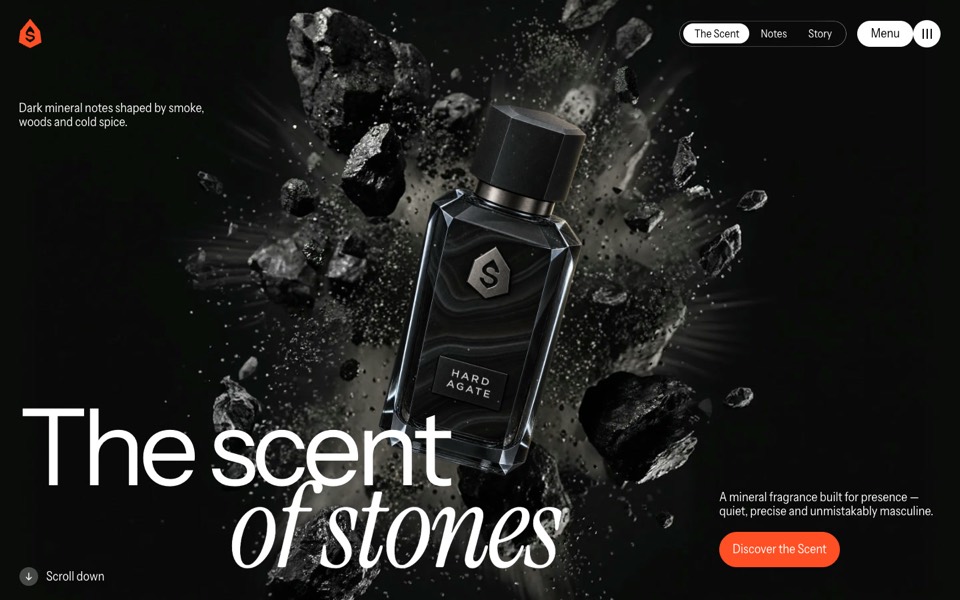
A fragrance site where a dark bottle bursts out of a stone, turns upright on scroll, lands on a rock and sprays.
see it on uberdesigner
Questions and answers
Can an AI tool build the checkout too?
It can write the code that calls a payment service, but the service still handles cards, tax and receipts. Ask the tool to connect one you have an account with, and never to build its own card form.
Does this work for a shop with hundreds of products?
The approach here suits small ranges. A large catalogue needs search, filters and a product database, and is usually better built on a shop platform with a custom theme.
Keep reading
Who makes this site
Best Website Prompts is written and run by the ubernatural team, the designers who make uberdesigner. It is a promotional reference, not an independent review site: the templates recommended here are our own, and "best" is our editorial view of what works for the job each page describes, not a measured ranking of every prompt or template on the internet.
Cite this page: Best Website Prompts, “Ecommerce website prompts”. Reviewed 11 November 2026. https://bestwebsiteprompts.com/ecommerce-website-prompts/