prompt topic
Small business website prompts
Answer in brief
A small business site answers a few questions fast: what is this, where, when, how much, how do I book. Put those facts in the prompt as data, then give the site one strong character so it doesn't read as a template.
The character can come from the trade itself. A trattoria as a newspaper. A box office that prints your ticket. A chess school that opens on a knight.
Give the facts as facts
Opening hours, address, phone, prices, the menu or the timetable, who teaches or performs. Paste them into the prompt as a list or point to a file. They are the reason people open the site, and they are exactly what a model will otherwise make up.
Borrow the character from the trade
Ask what object or ritual belongs to this business and build the site as that. A menu is a printed thing; a ticket is torn; a record is turned over. One sentence of this in a prompt changes the whole result, because it gives the model a reason for every choice of type, colour and motion.
Make the action reachable from anywhere
Book a table, buy a ticket, enrol, enquire. Say where the action lives (usually fixed in the header) and where it goes: a booking service link, a phone number on mobile, a short form. If it's a form, list the fields and say where the submission is sent.
What a small business prompt should contain
- The facts: hours, address, phone, prices, menu or timetable.
- The character: the object or ritual the site is built as.
- The action and where it leads.
- The people: names, roles and photographs if you have them.
- A map link and the phone number as a tap-to-call link.
- Type and colour, in numbers.
A prompt to start from
Build a website for [business name], a [restaurant / school / venue / artist] in [city].

Facts (use exactly these):
- Address: [address], with a link to the map.
- Hours: [hours].
- Phone: [number] (tap-to-call on phones). Email: [email].
- [Menu / timetable / line-up / prices], in ./content.md.

The character: [one sentence — e.g. "the site is the front page of a small-town newspaper: a masthead with the restaurant's name, today's date, and the menu set as columns of print; turning the page opens the booking form"].

The action: "[Book a table / Buy tickets / Enrol]", fixed top right on every screen. It opens [a booking link / a form with: name, date, party size, phone; send to email].

Sections: opening screen in the character above; [menu / classes / dates]; the people, with names and one line each; visit us, with hours, address and map link.

Stack: Vite + React + TypeScript, plain CSS.

Look: ground [#hex], ink [#hex], one accent [#hex]. Headlines in [typeface], very large; body in [typeface] 16px. Every choice should belong to the character: a newspaper uses rules, columns and small caps; nothing glows.

Phones: one column; hours, address and the action are reachable within one scroll. Run it and check every link.
Written for this page as a starting point; swap the parts in [brackets] for your own. The full prompt of each uberdesigner template is longer and specific to one finished design, and it is tested by rebuilding the template from the prompt alone.
What this prompt built
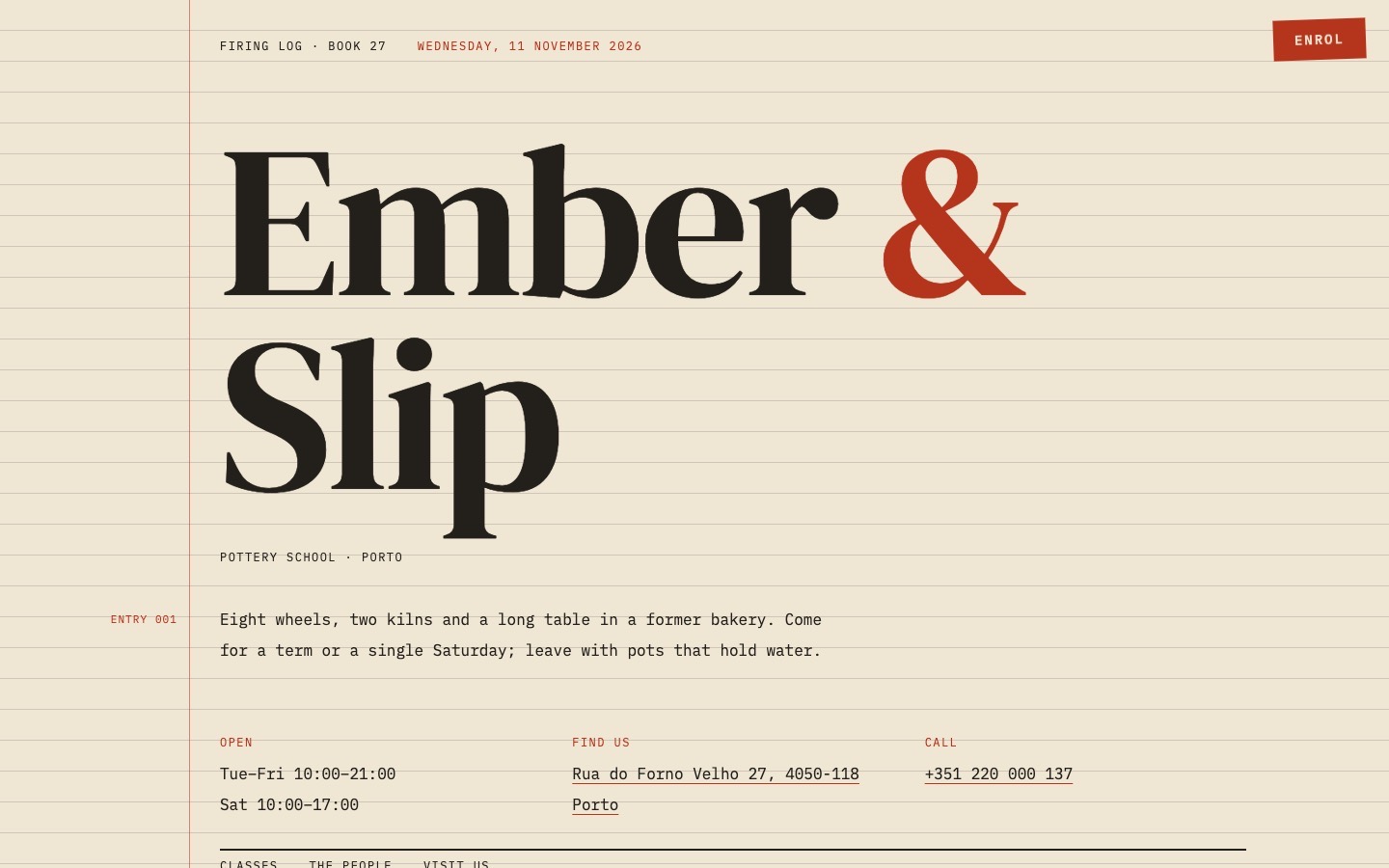
We ran the prompt above once in Claude Code, with the brackets filled in for an invented brand, Ember & Slip. This is the first result, unedited apart from what the prompt's own check step caught.
- Filled in
- Ember & Slip, a pottery school in Porto, with an invented address, hours, phone and email; character: the site is a kiln firing log, a ruled ledger page with classes entered as numbered lines and firing temperatures beside them, and "Enrol" tears off a slip (name, course, start date, places, phone) that sends by email; ground #efe6d3, ink #23201b, accent #b5341c; DM Serif Display over IBM Plex Mono.
- Images and objects
- No images: the ledger is CSS (ruled lines from a repeating gradient, a red margin line, table rules), and the timetable is a content.md file written for the run and parsed into the page at build time.
- Where it falls short
- The form only opens the visitor's email app with the answers filled in rather than sending anything itself, the map link searches for a street that does not exist, the timetable rows do not sit exactly on the ruled lines, and the people have names but no portraits.
Small business sites to start from
Finished sites on uberdesigner for a restaurant, a magazine, a box office, a musician and three schools. Each is built as something from its own trade.
-
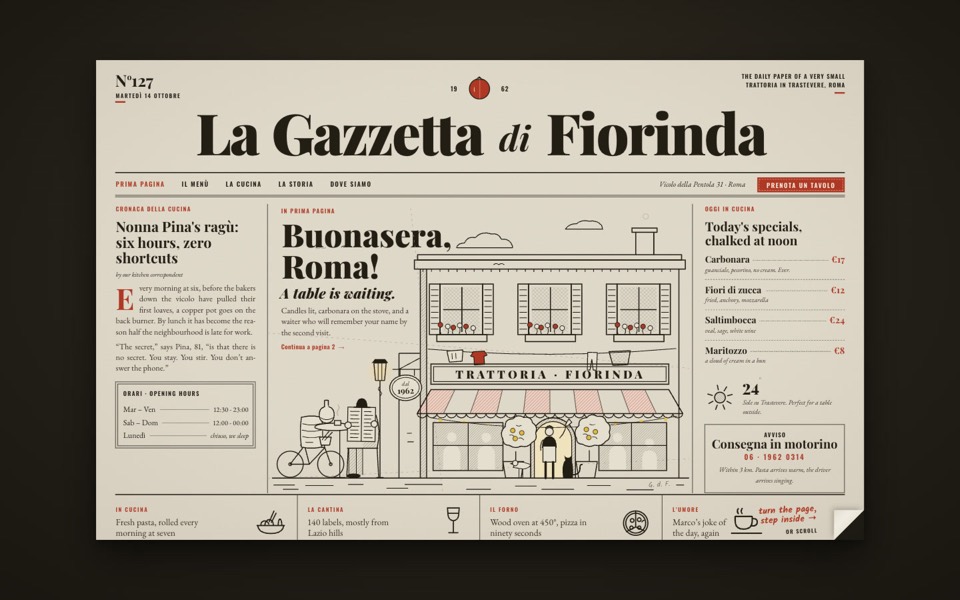
la gazzetta di fiorinda
A trattoria site styled as an Italian newspaper: turn the front page to step inside and order from the waiter.
see it on uberdesigner -
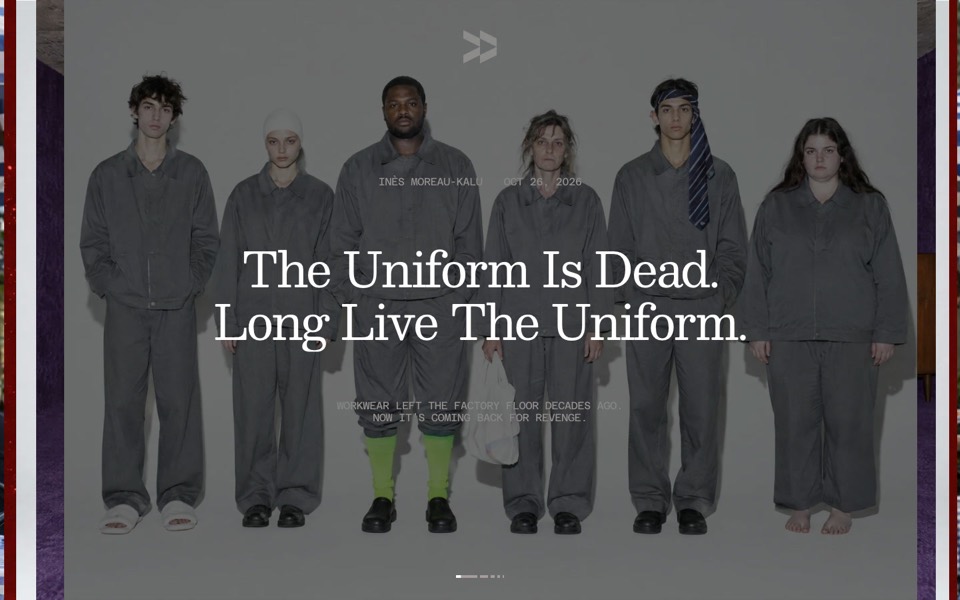
047r
A magazine site whose photos open from the centre line like pages: a stacked hero carousel, an archive with hover bands and a page turn into every article.
see it on uberdesigner -
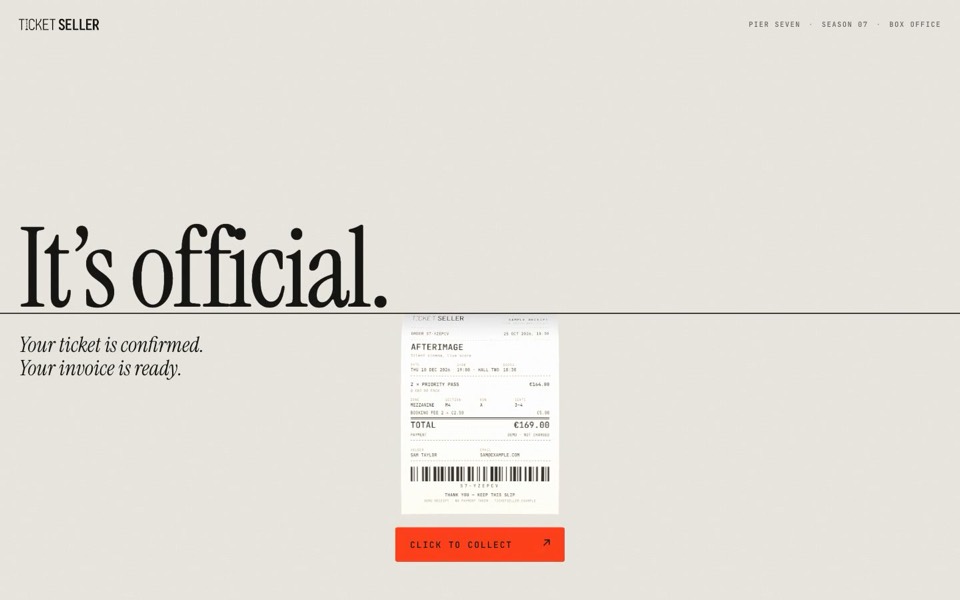
ticket seller
A box office where a translucent 3D ticket is fed into a thin black line and prints back out as a paper receipt.
see it on uberdesigner -
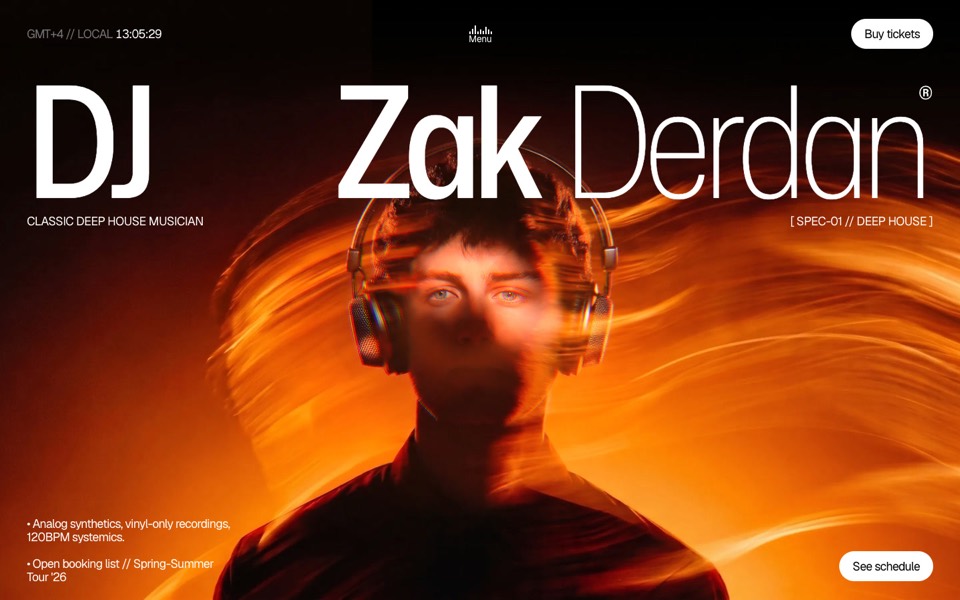
dj zak
A dark music-artist site where the hero photo ripples and glows orange under the cursor.
copy its prompt on uberdesigner -
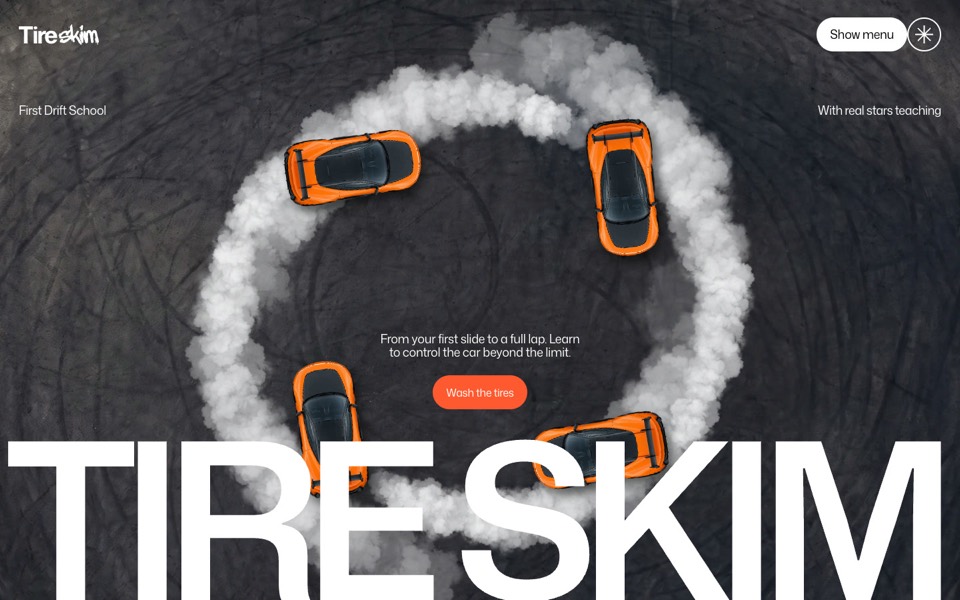
drift school
A drift school site where orange cars circle in a ring of tyre smoke, and scrolling dives into each instructor's car.
see it on uberdesigner -
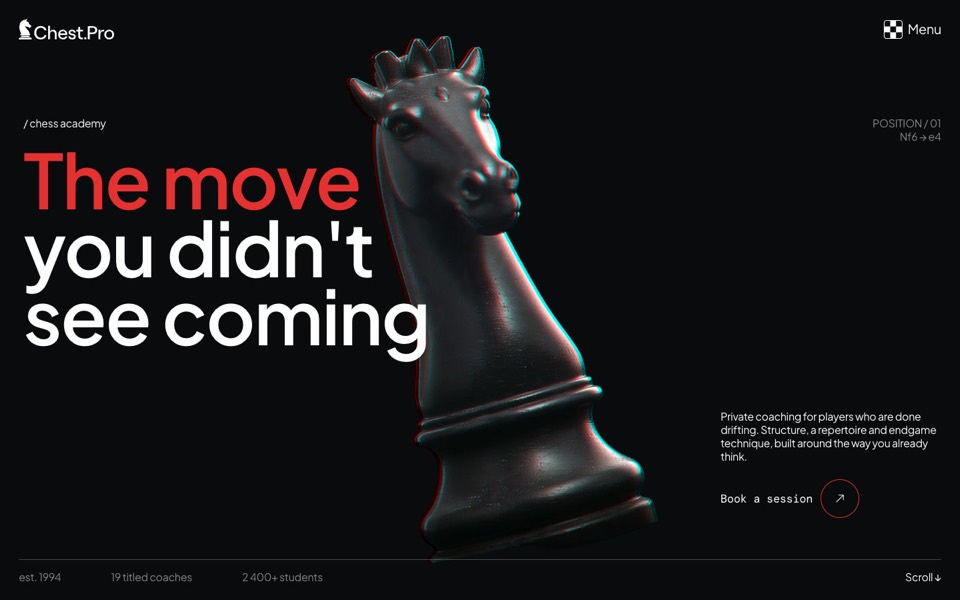
chest pro
A dark chess-academy site where a glitching knight opens onto a red manifesto and tilting coach cards.
see it on uberdesigner -
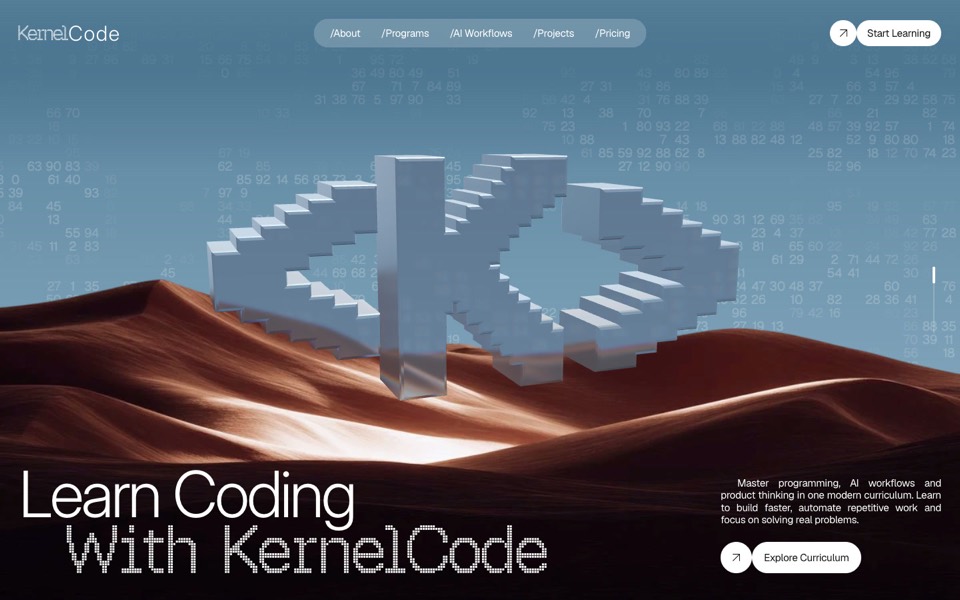
kernel code
A coding-school site where a glass pixel mark turns over desert dunes and a particle field becomes typing hands.
see it on uberdesigner
Questions and answers
Can I update the menu or the dates myself later?
Ask for the content to live in one file, such as a Markdown or JSON file, and say you will edit it by hand. Then a change is one line in one place.
Do I need a booking system?
Not to start. A link to the booking service you already use, or a phone number, is enough. Name it in the prompt so the button goes somewhere real.
Keep reading
- Why AI websites look the same, and how to stop itAI-built sites share a look because short prompts leave the design to the model's defaults. Four changes to a prompt that break the pattern.
- How to make a template's prompt yoursKeep a template's design and replace its subject: what to change in the prompt, what to leave alone, and the order to do it in.
Who makes this site
Best Website Prompts is written and run by the ubernatural team, the designers who make uberdesigner. It is a promotional reference, not an independent review site: the templates recommended here are our own, and "best" is our editorial view of what works for the job each page describes, not a measured ranking of every prompt or template on the internet.
Cite this page: Best Website Prompts, “Small business website prompts”. Reviewed 11 November 2026. https://bestwebsiteprompts.com/business-website-prompts/